
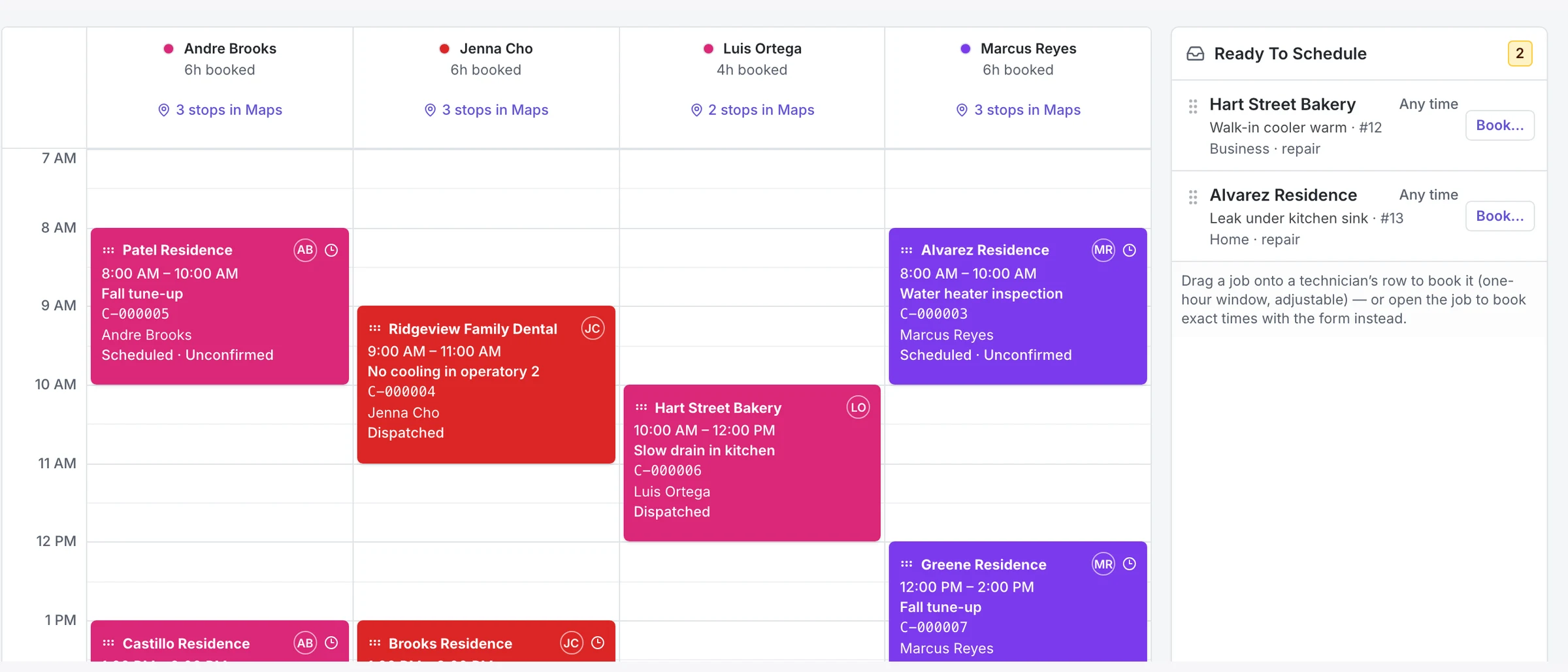
M1COS Field Service is an optional module for HVAC, plumbing, and electrical contractors who don't run a field-service system today. It covers the whole job, from the first call through the estimate, schedule, dispatch, closeout, invoice, and payment, and it feeds the same dashboards and weekly scorecard that measure margin. Contractors already on Housecall Pro or ServiceTitan keep their software; M1COS keeps reading it. The screens below are the real product, shown with sample data.
Who Is M1COS Field Service For?
Many shops in the $1M–$10M range run the business on a whiteboard, a shared calendar, and an accounting file. They can't answer basic operating questions because the work was never recorded in one place: which jobs made money, who has capacity Thursday, which estimates are still open. The Field Service module is built for those shops.
If you already run Housecall Pro, ServiceTitan, or a similar system, this module isn't for you, and you don't need it. M1COS connects to your existing software and reads it; we don't ask anyone to migrate. See how that works in M1COS vs. ServiceTitan and M1COS vs. BuildOps.
How Does a Job Move From First Call to Paid Invoice?
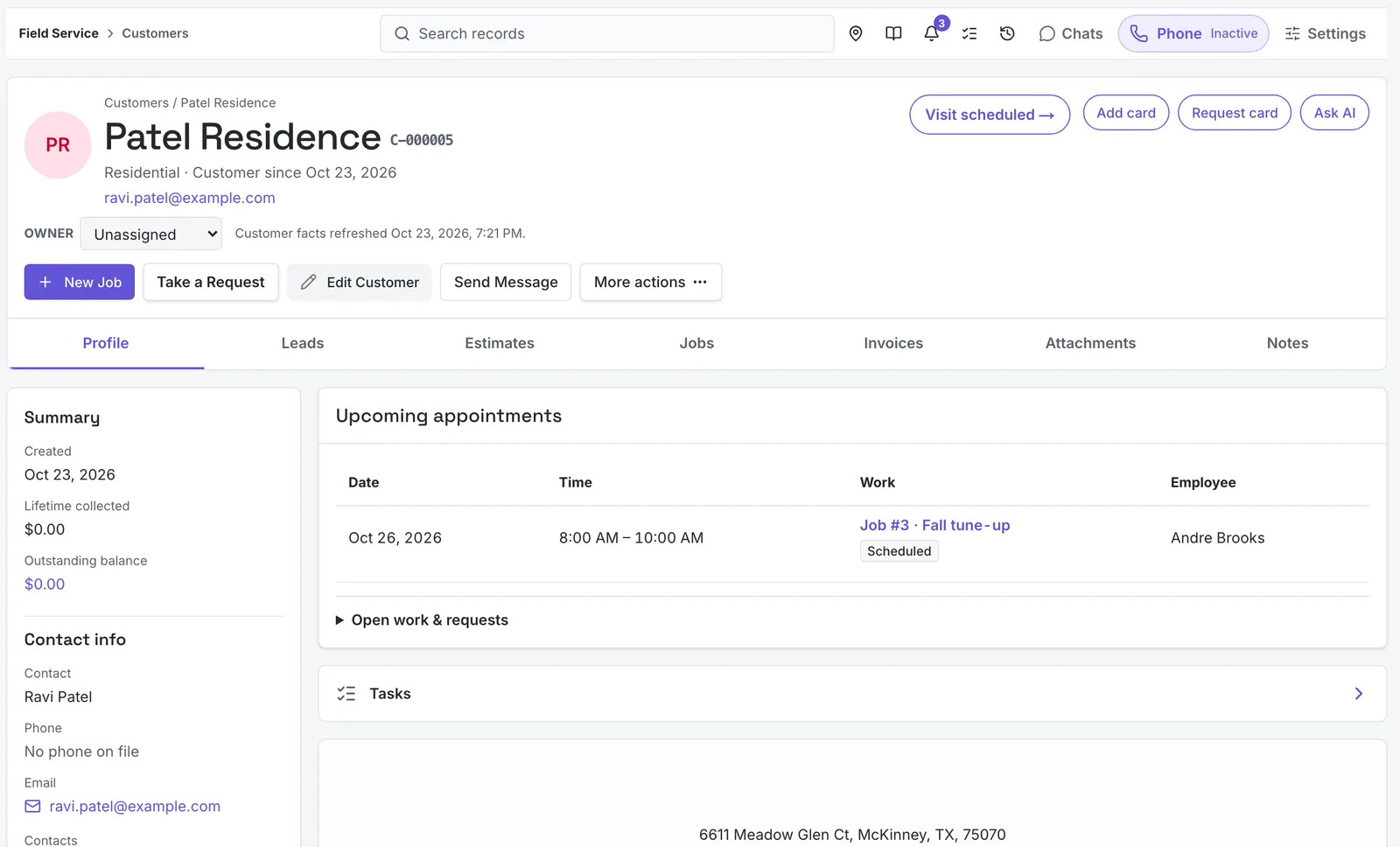
Every job starts as a request. A dispatcher takes the call, finds or creates the customer and property, and qualifies it into a lead, an estimate, or a job in the same screen. Nothing is re-keyed, and every step is recorded against the customer, so the history is still there next season.
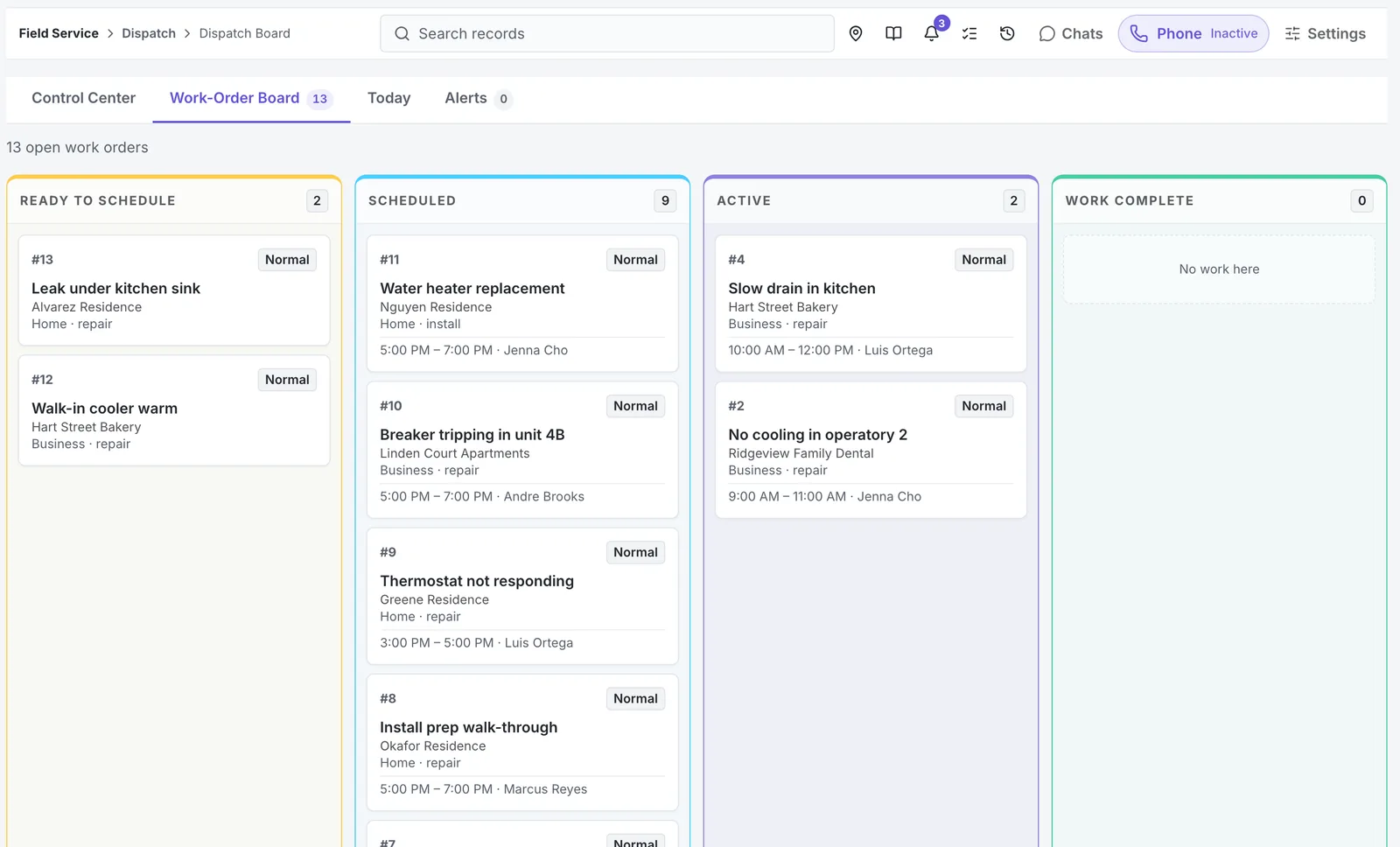
Every open job sits on one board: ready to schedule, scheduled, active, and complete. The customer record holds the rest, with leads, estimates, jobs, invoices, attachments, and notes in one place.
How Do Scheduling and Dispatch Work?
The schedule and the dispatch board read from the same appointments. The day view gives each technician a column, shows how many hours they're booked, and opens each route in Maps. Work that still needs a time waits in the tray, and Optimize by drive time re-orders the day. Booked times reserve capacity, so two dispatchers can't put the same technician in two places at once.
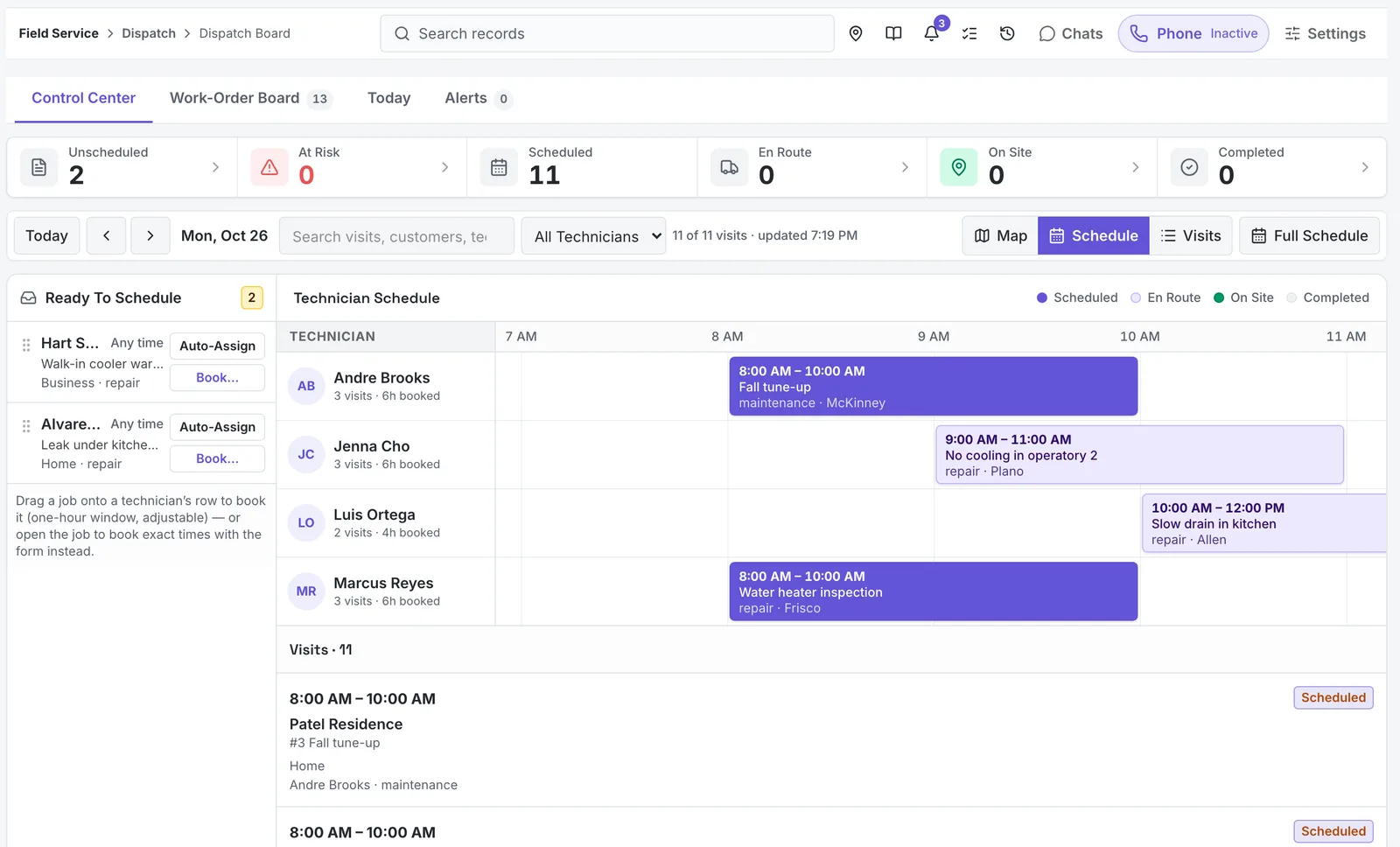
Gaps on the board are capacity you're paying for and not billing. That's the same number behind technician billable utilization, and the reason capacity planning sits next to dispatch in M1COS.
Customers can also book themselves. Each company gets a booking page that checks the address against its service area and only offers times a technician can actually take.
Can Customers Approve Estimates Online?
Yes. Estimates are built from the price book, with good, better, and best options. The customer sees each option with its complete price, while internal cost, margin, and notes stay out of their view. They approve one from a secure link without a phone call, and approved work moves to scheduling.
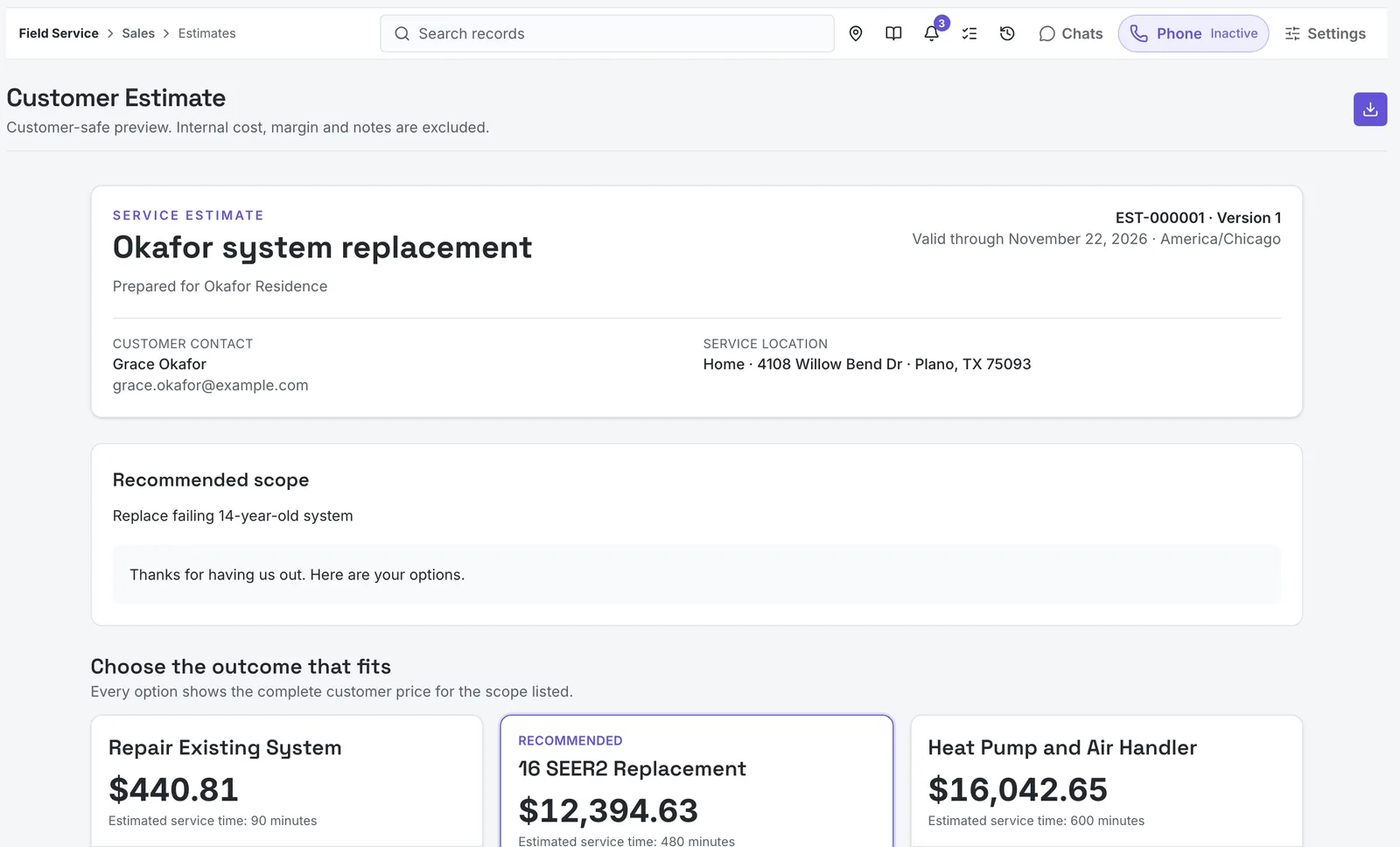
Presenting options is one of the simplest ways to lift close rate without discounting. We cover the benchmarks in what a good estimate close rate looks like. For high-efficiency options, ENERGY STAR's air-source heat pump guide is a useful reference to share with the homeowner alongside the estimate.
What Happens in the Field?
Technicians work from their own queue: today's stops, a checklist for the job, and the ability to add work on site. Anything sold on site lands on the invoice at the invoice's own tax rate, so add-on sales don't get lost between the truck and the office. A job can't be closed with its required steps unfinished.
Callbacks are recorded as callbacks, not buried as a free visit. That makes rework visible, which matters because callback rate is one of the quietest margin leaks in a service business.
How Do Service Plans Work?
Sell a maintenance plan once and the visits it promises are created for you. Each due visit becomes a work order inside its window, and the plan's history shows why a visit was or wasn't generated. A missed visit goes to a queue instead of quietly expiring, and plan invoices that are due show up for billing.
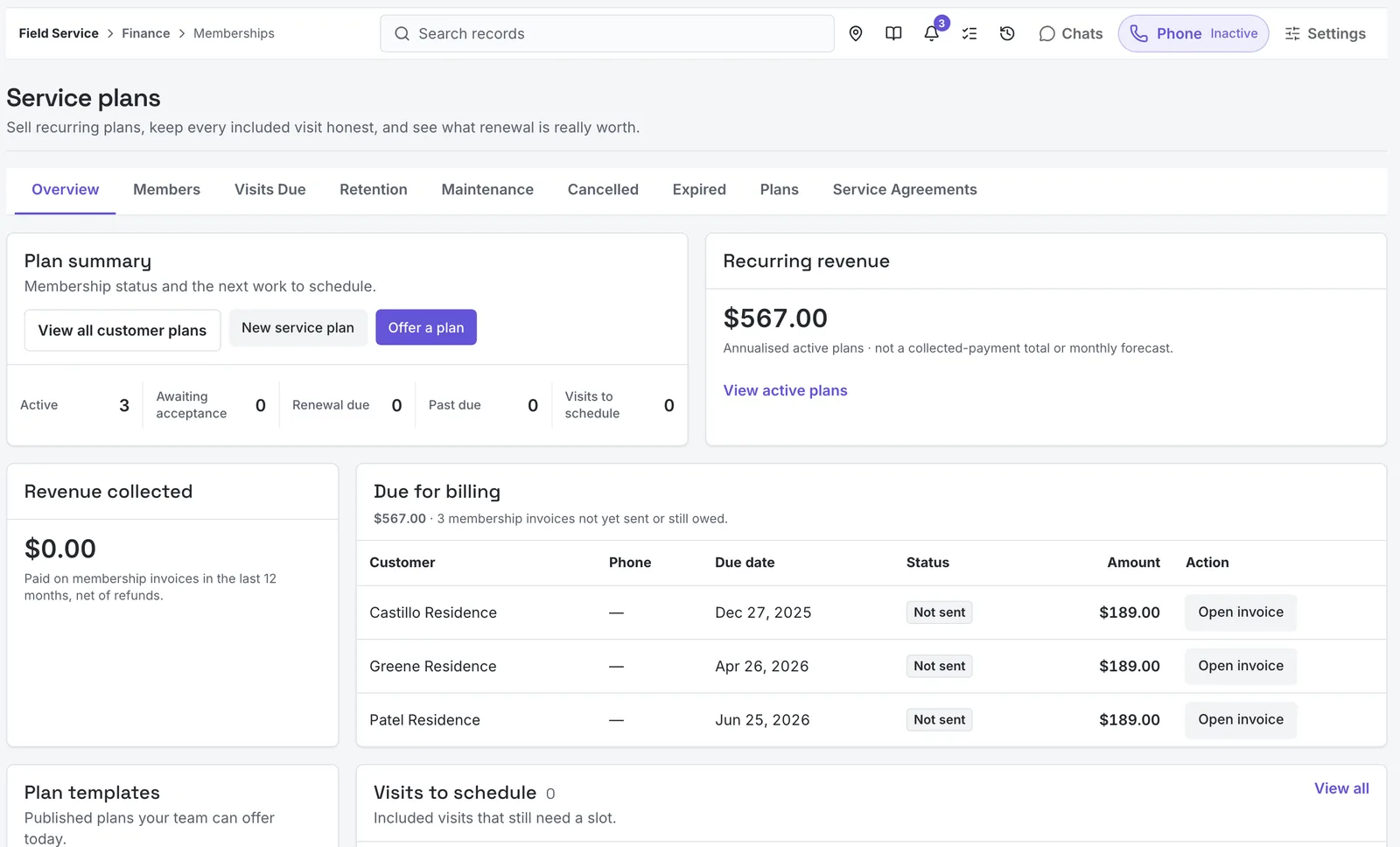
Plan penetration is one of the five weekly KPIs we track with HVAC owners, because recurring visits smooth out the slow months. See what a healthy number looks like in maintenance agreement penetration rate.
How Are Prices, Purchasing, and Materials Handled?
The price book holds your services and parts with one company-wide markup, so prices move together when costs do. Every service shows its price, cost, and margin side by side. Purchase orders are numbered your way and tracked by vendor. Materials used on a job come out of warehouse stock when the job is invoiced, so the job's real cost is known when the work is billed, not a month later.
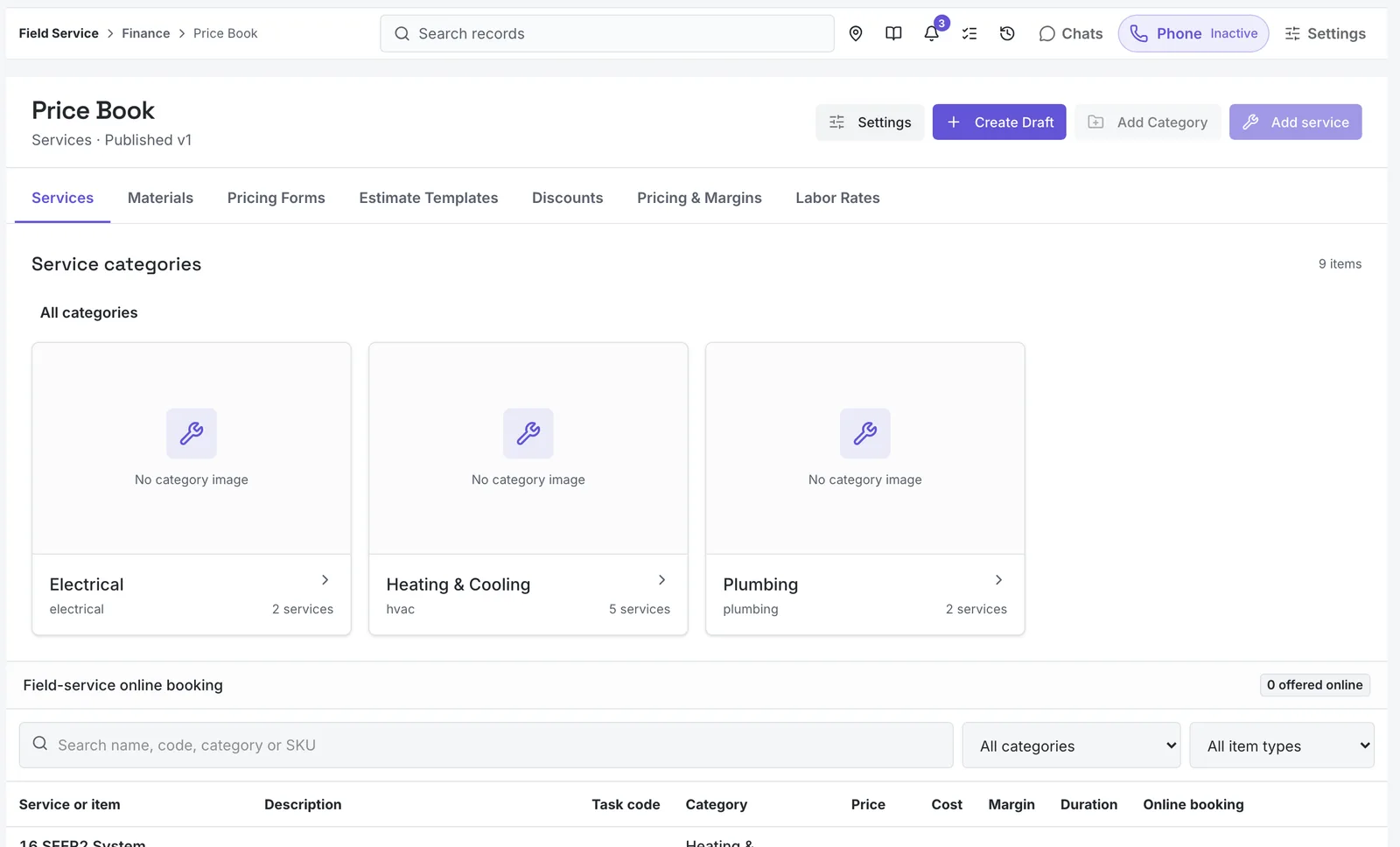
If you're setting prices for the first time, start from cost: the loaded labor cost calculator turns a wage into a true hourly cost, and the job-costing calculator shows what a job needs to charge to hit your margin.
What About Work That Slips?
Most lost money in a service business isn't a bad job. It's work that falls between steps: invoices past due, jobs with no next step, visits that missed their window, plans about to lapse. The module keeps a recovery queue for each of those gaps, so someone owns clearing them every week. They're the same leaks we walk through in the 2-minute margin leak check.
Why Does Field Service Live Inside M1COS?
A field-service app on its own records the work. M1COS also measures it. Because jobs, hours, and invoices are recorded in the same system that reads your accounting ledger, the operations and financial intelligence dashboards show margin by job type, crew, and season without an export. Your numbers are compared against Margin One's KPI operating thresholds, and the weekly meeting runs from that scorecard. Knowing job cost and cash at the same time is the core of managing small-business finances, and it's the part most contractors are missing.
Field Service is an optional, paid module, turned on per company. It's delivered the way everything at Margin One is: inside a coaching engagement, with the setup and the weekly cadence run with you. See how Margin One works.
Frequently Asked Questions
When is M1COS Field Service available?
It's coming soon as an optional module. Book a strategy session to be considered for early access.
Do I have to leave Housecall Pro or ServiceTitan?
No. If you already run a field-service system, M1COS connects to it and reads it. The Field Service module is for contractors who don't have one.
Is Field Service included in M1COS?
It's a separate paid module, turned on per company. See pricing for how engagements are structured.
Can my customers book and approve work online?
Yes. Each company gets a booking page limited to its service area, and customers review and approve estimates from a secure link.
Want to Be First on Field Service?
Book a strategy session. We'll look at how your shop runs today and tell you plainly whether the module fits.